Costa 2.0.0 released
Posted
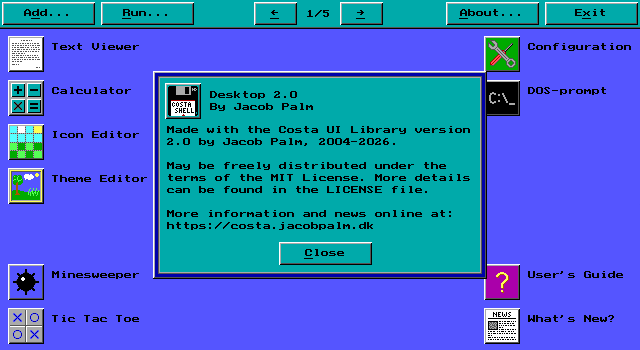
After much effort, the next major version of Costa is ready for release! As mentioned in my previous blog post, the focus has been on rewriting Costa entirely for better performance and lower system requirements. See that post for more details about that process.
As such, no major new features are included. There have been some tweaks done in various places though. For example, keyboard shortcuts now use Alt+letter to focus buttons, textboxes and other controls, rather than just pressing the letter. This was done both because that’s how every major UI works, which makes it easier for new users to use Costa, and because it allowed me to make textboxes so that you no longer have to press Enter or Escape to finish editing them. Now, you can do either that, or you can press a keyboard shortcut to move to another control.
Since this is a complete rewrite, data files from previous versions are not compatible. What this means is that if you are already using Costa version 1.8.0 or lower, you will have to create your desktop icon layout again. Icons and themes are not compatible, although I have made some tools that can convert them. These tools are not included in Costa, but are available in source code format in the Codeberg repository under the UTIL folder. If anyone requests it, I might make a downloadable version of them. Let me know if you have a lot of icons or themes you’d like to bring over to the new version.
As always, download is available here on the site under the Downloads section, and version 2.0.0 has of course also been added to the archive.
If you run in to issues or have questions, feel free to raise an issue on Codeberg and I’ll get back to you.
Enjoy!